The key difference between a parts library and a system-based CAD configuration.
Digital CAD data are now standard in project planning. Generic platforms are often used for this, providing large parts libraries with components from many manufacturers. The focus here is on individual parts or simple assemblies that have to be manually put together to form a system. The ZIMM CAD product configurator takes a different approach: instead of merely providing components, the tool configures complete lifting systems with screw jacks and actuators of the ZA, ZE, ZE-H and GSZ series – including suitable attachment parts. The output includes directly usable 3D and 2D CAD data (e.g. STEP, IGES, SAT, DWG) as well as a 3D PDF for viewing even without an installed CAD program. This turns the configurator into an engineering tool that combines technical logic, ZIMM know-how and CAD output in a single process – instead of just managing an “intelligent parts list”.
Direct comparison
The basic difference can be reduced to one point: parts libraries supply components, the ZIMM CAD product configurator supplies complete solutions.
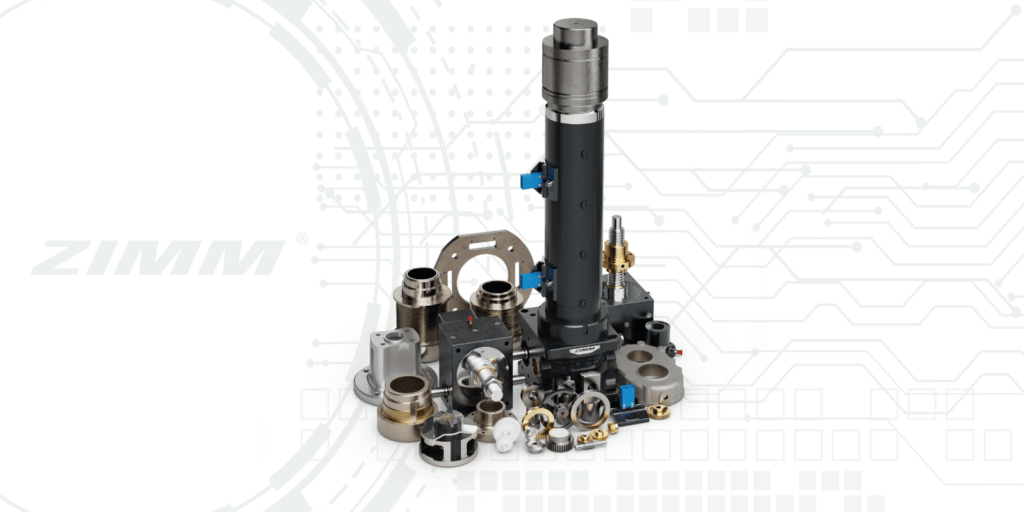
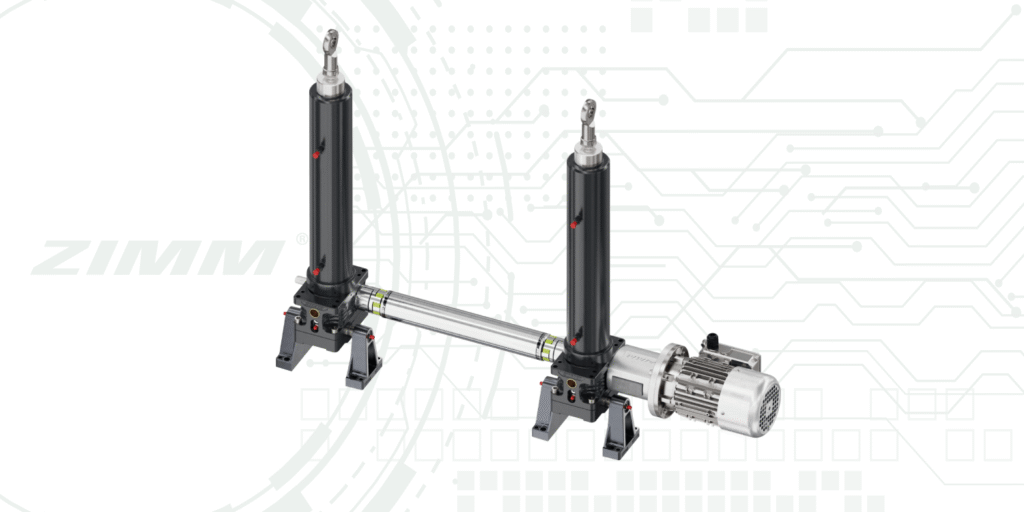
- Complete system and plant configuration – complete systems instead of single gearboxes: Generic platforms mainly provide single gearboxes and standardised components; the functional lifting system has to be built by the designer himself. By contrast, the ZIMM CAD product configurator generates complete lifting systems in more than 17 typical arrangements – including couplings, shafts and bevel gearboxes with matching motor, with integrated system logic (e.g. number of gearboxes, mounting positions, connection variants).
- Intelligent technical logic – technical intelligence instead of pure variant selection: Parts libraries show available variants but do not “understand” which combinations are appropriate or permissible from a drive technology point of view; conflicts, oversizing or incorrect combinations have to be identified by the designer himself. The ZIMM CAD product configurator of the ZIMM Group uses an internal, engineering-driven logic derived from design, product development and sales with technical plausibility checks (e.g. combinability of specific components), compatibility rules (e.g. matching shafts, couplings, motor mountings) and the selection of only realisable combinations – as a result, a large part of the technical validation already takes place in the configuration step.
- CAD data of the entire solution – CAD models of the whole solution instead of just components: Conventional platforms supply CAD models of individual components or simple assemblies; the designer has to create, check and maintain a complete assembly from them. The ZIMM CAD product configurator generates CAD data of the complete solution: screw jacks or actuators, connection technology and drive in one consistent model; for each configuration, 3D and 2D CAD data (STEP, IGES, SAT, DWG) are provided automatically by e-mail – ready for immediate use in the installation study in the user’s own CAD system.
- ZIMM-specific know-how – original ZIMM know-how directly in the configurator: Parts libraries are cross-manufacturer and generic; specific special logics or learning curves of individual manufacturers can therefore only be represented to a limited extent. By contrast, the ZIMM CAD product configurator is developed directly by ZIMM and continuously maintained: the logic is based on practical experience from design, product development and sales, new products and options are integrated promptly and the ZIMM modular system is mapped precisely. This means that ZIMM-specific know-how flows directly into the selection.
Decision matrix: ZIMM CAD product configurator vs. generic CAD libraries
| Criterion | ZIMM CAD product configurator | Generic parts library |
| Target | Complete lifting systems and plants with screw jacks / actuators | Single gearboxes, standard components, general parts |
| Configuration scope | System configuration in >17 arrangements including matching parts | Selection of individual components, system logic lies with the user |
| Technical logic | Integrated, engineering-driven plausibility and compatibility checks | No specific system logic; only availability display of variants |
| Error avoidance | Focused on realisable combinations; reduces misconfigurations | Risk of combination errors lies entirely with the designer |
| Data scope | 3D/2D data for the entire solution (STEP, IGES, SAT, DWG, 3D PDF) | CAD data per component or simple assembly |
| Supported products | ZIMM screw jacks / actuators (ZA, ZE, ZE-H, GSZ) with matching parts | Very broad, cross-manufacturer portfolio |
| User guidance | Guided 5-step process: parameters → components → configure → system preview → download | Component search and selection via catalogue structures / search functions |
| System preview | System preview of the complete lifting system before the CAD download | Typically component preview; system structure created externally in the CAD system |
| Manufacturer know-how | ZIMM-specific rules and experience directly stored in the logic | Generic representation; manufacturer-specific details mostly in data sheets |
| Integration into the project workflow | Design, visualisation and CAD data provision in one tool; focus on ZIMM solutions | Good for component comparison and multi-vendor strategies |
| Application phase | Particularly strong in the concept and planning phase of ZIMM lifting systems – including quick availability of precise CAD data | Rather as a universal parts base and supplement for other components |
Conclusion: When is the ZIMM CAD product configurator worthwhile?
Choose the ZIMM CAD product configurator if …
- you are planning complete lifting systems based on ZIMM components (ZA, ZE, ZE-H, GSZ) and need CAD data of the entire solution.
- you attach importance to technically verified combinations and want to avoid misconfigurations already in the configuration step.
- you want to accelerate your concept phase – including system preview and direct download of CAD data for installation studies.
- you want to use ZIMM know-how from design and sales directly in the tool instead of transferring it manually from catalogues and PDFs.
In this video, discover how the ZIMM CAD product configurator streamlines project planning by providing complete lifting systems with integrated technical logic, contrasting with traditional CAD libraries that only offer individual components.